
Google Ads Invalid Clicks Refund: What You Actually Get

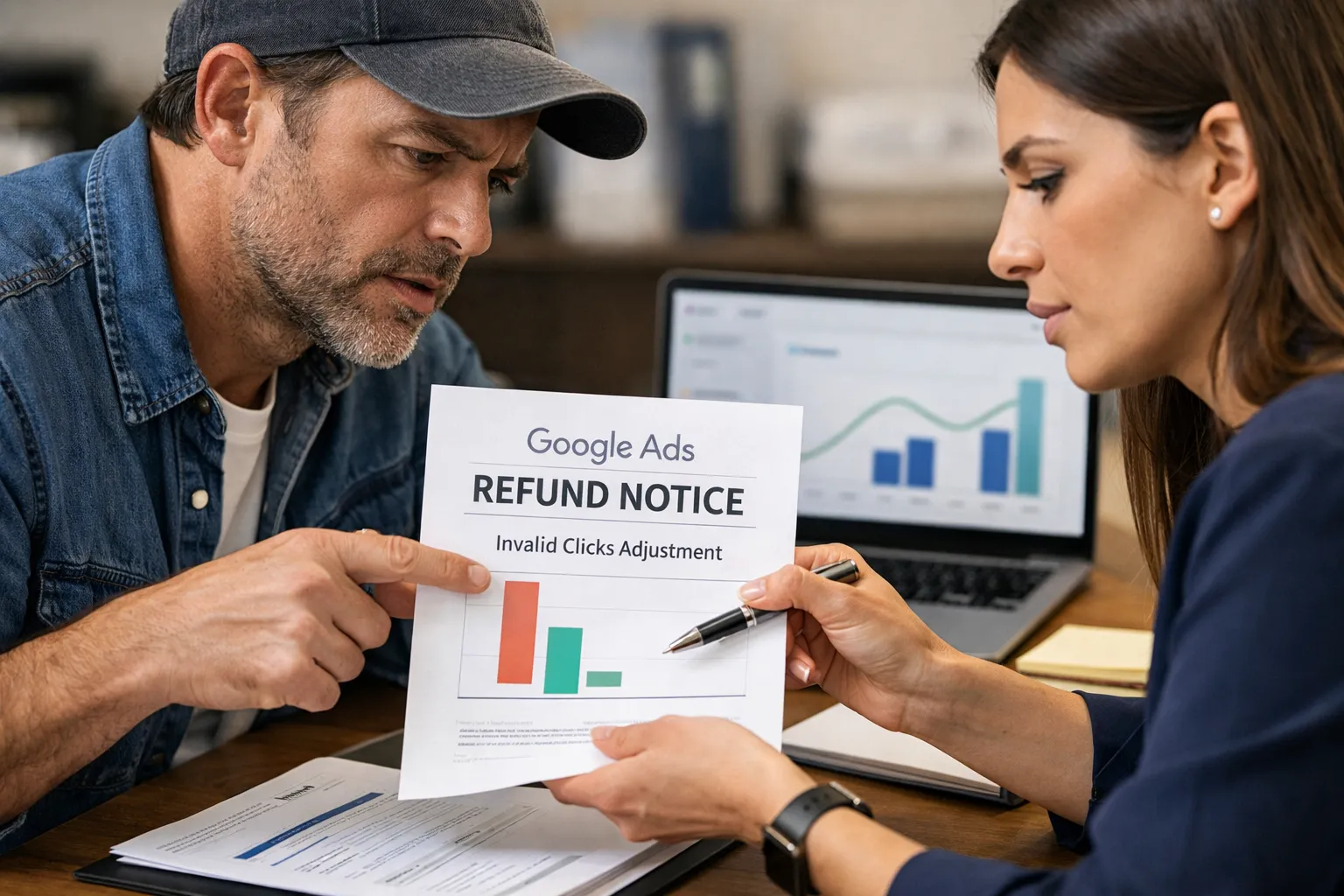
Google refunds clicks it classifies as invalid: bots, automated traffic, accidental double clicks and clear click fraud. Most of these are filtered out before you are billed. The ones caught later come back as "invalid activity" credits in your billing history. You can ask for an investigation, but low conversions or a gut feeling won't get you a credit.
What Google never refunds is a valid click on an irrelevant search. Think of a real person who typed "plumber salary" and clicked your emergency plumbing ad. That click was real, so Google says it was valid. In most accounts this costs far more than invalid clicks, and the only way to recover it is to stop paying for it, with negative keywords built from your search terms.
What a Google Ads invalid clicks refund actually covers
A Google Ads invalid clicks refund covers clicks Google judges were not made by a real person with genuine interest. That means bots, automated scripts, accidental repeat clicks and deliberate fraud. It doesn't cover clicks that were real but useless to you. That gap is what this article is about.
Google sorts invalid traffic into roughly three kinds:
- Automated traffic. Bots, crawlers, scripts and click farms running software.
- Accidental or duplicate clicks. Someone double-clicks the ad, or reloads in a way that registers a second click within seconds.
- Deliberate abuse. Repeated clicks meant to drain your budget, by a competitor, a disgruntled ex-employee or a publisher inflating its own revenue on the Display network.
Google handles these at two moments.
- Before billing. Its systems check every click in real time. Clicks judged invalid are filtered out and you are never charged for them. They show up in the "Invalid clicks" column. They don't show up in your cost.
- After billing. Some patterns only show up later, once Google can see behaviour across many clicks and many days. When that happens, Google credits you. The credit appears as an "invalid activity" adjustment in your billing history. It normally lands as credit on the account, not as money back to your card.
There is a third path: you ask. Google has a click quality form for investigation requests. Its help pages set a time limit on how far back you can ask, which has stood at 60 days. Check the current window before you file.
That is the whole refund system. It is narrow on purpose. It answers one question: was this a real person? It never asks was this the right person?
Why most refund requests in the forums go nowhere
Most refund requests fail because they argue the wrong thing. Read the threads on the Google Ads Community that rank for this keyword ("please refund my invalid clicks", "we are getting a lot of invalid clicks") and you'll see the same pattern. The advertiser lists symptoms: lots of clicks, no sales, a high bounce rate, short sessions. The product expert answers that the clicks were reviewed and judged valid. The thread ends there.
The pages that rank for this keyword mostly give the same advice: check the invalid clicks column, collect evidence, fill in the form, maybe buy click-fraud software. None of that is wrong. It's incomplete, because it assumes the money you lost went on fake clicks. Usually it didn't.
Here is what Google does not treat as evidence of invalid clicks:
- Low or zero conversions. A real person can click and not buy. That is normal.
- High bounce rate or short sessions. Real people leave fast when the page doesn't match what they searched for.
- A sudden jump in clicks. That is just as likely to come from a broad match keyword picking up a new search, a bid strategy change or a seasonal spike.
- Clicks from a city you think is wrong. If your location settings include "presence or interest", Google can show ads to people outside your area who are interested in it. That is a setting you chose, not fraud.
Each of these symptoms has a more ordinary cause, and that cause sits in your search terms report. Someone searched "how to become a plumber", matched your broad keyword "plumber", read your headline, clicked and left. To Google that is a valid click. To you it is $8 gone.
If your symptom is "lots of clicks, nothing happens", the diagnosis usually starts somewhere other than fraud. We go through it in Google Ads Clicks but No Sales? Read the Queries First. There's also the question of whether the traffic or the landing page is to blame, which Google Ads Low Quality Traffic: Bad Clicks or Bad Pages? covers.
Filtered clicks and credits are two different numbers
The "Invalid clicks" column shows clicks you were never charged for. The "invalid activity" line in billing shows money you were charged and later got back. People mix these two up all the time, and that leads to bad decisions.
The invalid clicks column
Add the "Invalid clicks" and "Invalid click rate" columns at campaign level. The rate is invalid clicks divided by total clicks, filtered ones included. A high rate looks scary. It's actually the system working. Every click in that column was removed before billing.
A high rate does tell you something, though. It suggests your ads are attracting automated traffic, and some of it may be slipping through. The usual suspects:
- Display or Search partner placements in a Search campaign.
- Performance Max inventory outside Search, where automated traffic is more common.
- A keyword or industry where competitors are known to click on each other, such as locksmiths, bail bonds, legal and emergency home services.
The invalid activity credit
The credit is in Billing → Transactions (or Documents, depending on your account setup). It is usually labelled "Invalid activity" and often names the period it relates to. The amount is usually small next to your spend. You can't predict when it will arrive or how much it will be.
What neither number tells you
Neither number says anything about clicks Google judged valid. You can have a low invalid click rate, receive almost no credits, and still waste a large share of the budget. That's because the waste isn't fraud. Someone searched for something you don't sell, and you paid for the click.
How to file an investigation request that is worth filing
File a request when you have evidence of a pattern that no real buyer would produce, and when that pattern is something Google can match against its own logs. Without that, you'll get the same reply as everyone in the forums.
When a request is worth it
- The same IP or a small IP range clicks repeatedly over hours or days, with no conversions. Your server logs show this; Google Ads doesn't.
- A burst of clicks at an odd hour that your normal traffic never shows. For example, 40 clicks between 3:00 and 3:20 am on a local business with no night-time demand.
- Traffic that matches a known attack. A DDoS on your site that also hit your ads, or a bot that clicks every ad on a search results page.
- Clicks with identical behaviour. Same user agent, same time on page to the second, same path through the site.
What to send
- The campaign, date range and time window, in your account's time zone.
- GCLIDs for the suspicious clicks, if you capture them. Auto-tagging adds a GCLID to every click. If your site logs it alongside the IP and timestamp, Google can match your evidence to its own records exactly.
- IP addresses and timestamps from your server or analytics logs.
- What you have already ruled out. Say that you checked the search terms and these clicks did not come from new or broad matches. It shows the reviewer you've done the obvious work.
What to do while you wait
- Exclude the IPs at campaign level if they're stable. This is a blunt tool. Many bots rotate IPs and mobile carriers share them, so treat it as a stopgap.
- Turn off Search partners and Display expansion in Search campaigns if the bad clicks come from there. Check the "Network (with search partners)" segment first.
- Tighten location settings to "presence" if clicks come from outside your service area.
What you'll get back
Expect a reply saying the clicks were reviewed. If Google finds invalid activity, a credit follows. If it doesn't, the reply says the clicks were valid. You won't get a line-by-line breakdown either way. Plan your budget as if no credit will come.
The leak no refund covers: valid clicks on the wrong searches
Most money in a typical account is lost on valid clicks from people who searched for something you don't sell. Google will never refund these, because by its definition nothing went wrong: a real human searched, your ad matched, they clicked.
What these look like depends on the business. A few patterns we see over and over in audits:
Local services. An emergency plumber bidding on "plumber" pays for:
- "plumber salary"
- "plumber apprenticeship near me"
- "how to fix a leaking tap"
- "plumbers putty"
- "bob's plumbing reviews" (a competitor's name)
E-commerce. A shop selling running shoes pays for:
- "running shoes size chart"
- "how often should you replace running shoes"
- "nike running shoes outlet" (a brand it doesn't stock)
- "free running shoes sample"
B2B software. A payroll tool pays for:
- "payroll clerk job"
- "payroll excel template free"
- "what is gross pay"
Every one of those is a real person. Every click is valid, and every one is billed at full price. No form, no tool and no support ticket will get that money back.
Why this leak keeps growing
Three things in current Google Ads widen the range of searches you pay for:
- Broad match now leans on meaning, not words. A broad keyword can match searches that share none of its words. See Are Broad Match Keywords Worth It in 2026?.
- Close variants stretch even exact match to searches Google thinks mean the same thing. Close Variants in Google Ads and Why Exact Isn't Exact shows how far that goes.
- Performance Max chooses its own searches from your assets, feed and landing pages. You only find out afterwards, in the search terms it reports. What the PMax Search Terms Report Actually Shows explains what you can and can't see.
Click-fraud tools don't help here. They look for fake people. Every person in this section is real.
A worked example: credits next to search term waste
Line the two numbers up for the same month and the difference speaks for itself. The figures below are made up and round, to show the method. They aren't a benchmark. Run it on your own account and trust your own numbers.
Take a local service business spending $10,000 in a month on Search and Performance Max.
Step 1: the refund side. In Billing, the month shows one invalid activity credit of $40. The "Invalid clicks" column shows a few hundred filtered clicks. None of those were charged, so they don't count as loss.
Step 2: the search term side. Export the search terms for the same month. Filter to terms with spend and zero conversions. Then read them and mark the ones that could never have converted, whatever the bid or the landing page:
| Search term | Cost | Conversions |
|---|---|---|
| plumber salary | $300 | 0 |
| plumbing course online | $250 | 0 |
| diy unclog drain | $450 | 0 |
| Total | $1,000 | 0 |
Step 3: compare. The refund was $40. The unrefunded, clearly irrelevant spend was $1,000, which is 25 times the credit. Here that's 10% of the budget, and none of it involved a single fake click.
Two things make this comparison honest:
- Only count terms that could never convert. "emergency plumber cost" with no conversions this month isn't waste. It's a buyer who didn't buy yet. Putting it in the total inflates the number and leads to blocking good traffic. How to Calculate Wasted Ad Spend Honestly covers where to draw that line.
- Admit what you can't see. Part of the spend sits under search terms Google hides for privacy. You can't classify them, so they stay out of both columns. More in Google Ads Search Terms Hidden by Privacy, and What to Do.
Your own split will differ, and some accounts do have real fraud problems. But if you've only ever looked at the refund side, look at the search term side before deciding where the money went.
Closing the leak Google won't refund
The only way to recover spend on valid but irrelevant clicks is to stop buying them, by turning those search terms into negative keywords. You can't get past spend back. Every term you block costs nothing from that day on.
Doing it by hand
- Open the search terms report for Search and Shopping campaigns, and the search terms view for Performance Max.
- Sort by cost. Read the terms, not just the metrics.
- Mark a term as a negative only if no version of your offer could satisfy it. "plumber salary": yes. "cheap plumber": probably not, as Blocking "Free" and "Cheap" Searches Without Losing Buyers explains.
- Choose the match type with care. Exact and phrase negatives behave predictably. Broad negatives behave unpredictably across match types and can block more than you meant.
- Put the negative where it belongs. Search and standard Shopping accept campaign negatives and shared lists. Performance Max accepts up to 10,000 campaign-level negative keywords but doesn't accept shared negative keyword lists, so terms you block everywhere else must be added to each PMax campaign separately.
The method in Add Negative Keywords From Search Terms Without Guessing walks through the judgement in step 3, which is the part that takes time.
Where it can't reach
Be clear about the limits:
- Display, Video and App report no search terms. There's nothing to turn into a negative keyword. Waste there needs placement and content exclusions.
- Hidden search terms stay hidden. You can't block what you can't see.
- Negatives don't stop fraud. A bot clicking your ad on "emergency plumber" is clicking a term you want. That's the job of Google's filters and your investigation requests.
So you need both. Investigation requests and IP exclusions handle fake clicks. Negative keywords handle real clicks on the wrong searches. Doing one doesn't replace the other.
What PPCleaner does here
PPCleaner handles the second half. Every night it reads the search terms your account paid for across Search, Shopping and Performance Max. It judges which ones were never going to convert and adds them as negative keywords. It never blocks a term that converted in the last 90 days. It doesn't change budgets, bids, ads or keywords. Every block can be undone in one click for 90 days. If you'd rather reverse something yourself, How to Undo Negative Keywords in Google Ads shows how.
It doesn't detect click fraud and it doesn't file refund claims. The invalid-click process belongs to Google, and the section above is how to use it well. What PPCleaner tackles is the larger bill that no refund process covers: you paying, every day, for "plumber salary".
Frequently asked
Does Google refund invalid clicks automatically?
Mostly, yes. Google filters most invalid clicks in real time, before you're billed, so you never pay for them. They show in the Invalid clicks column, not in your cost. Some invalid activity is only spotted after billing. When that happens, Google adds an 'invalid activity' credit to your account, usually as account credit rather than a payment back to your card.
How do I request a refund for invalid clicks in Google Ads?
Use Google's click quality investigation form. File within the time limit on its help pages, which has stood at 60 days. Include the campaign, exact time windows, and if you can, GCLIDs, IP addresses and timestamps from your server logs. Low conversions or a high bounce rate on their own aren't treated as evidence.
Will Google refund clicks from people who searched for something I don't sell?
No. A real person clicking your ad after an irrelevant search, like 'plumber salary' on an emergency plumber's ad, is a valid click by Google's definition. It is billed and never refunded. The only fix is to stop paying for those searches by adding them as negative keywords.
Is a high invalid click rate a problem?
Not in itself. The rate counts clicks Google filtered and didn't charge you for. A high rate does suggest your ads attract automated traffic, often through Search partners, Display placements or Performance Max inventory outside Search. Check those segments and look for anything getting through.
Can negative keywords stop click fraud?
No. A bot clicking your ad on a search you want, such as 'emergency plumber', is clicking a term you'd never block. Negative keywords handle real people on the wrong searches. Fraud is handled by Google's filters, investigation requests and, as a stopgap, IP exclusions.

Clean your search terms. Save time and money.
Every night, PPCleaner reviews the searches your campaigns actually paid for, groups them by intent, and excludes the ones that never convert. No spend threshold to wait for, nothing touched but negatives — and one click undoes any of it.
Start 7 days freeSearch, Shopping and Performance Max · Cancel in one click
Related articles
Google Ads Low Quality Traffic: Bad Clicks or Bad Pages?
"Low quality traffic" can mean four different problems, and only one of them is fixed with negative keywords. Here is a check that tells you which one you have before you change anything.

Google Ads Clicks but No Sales? Read the Queries First
When Google Ads gets clicks but no sales, most advice tells you to rewrite the ads. Sort your search terms first: in about an hour they tell you whether the problem is the traffic, the page or the tracking.

CPA Too High in Google Ads? Check Search Terms First
Most advice for a high CPA starts with your bid strategy. Check first how much of your cost goes to search terms that were never going to convert, because no target CPA can fix that spend.