
Negative Keywords in Performance Max and the 10,000 Cap

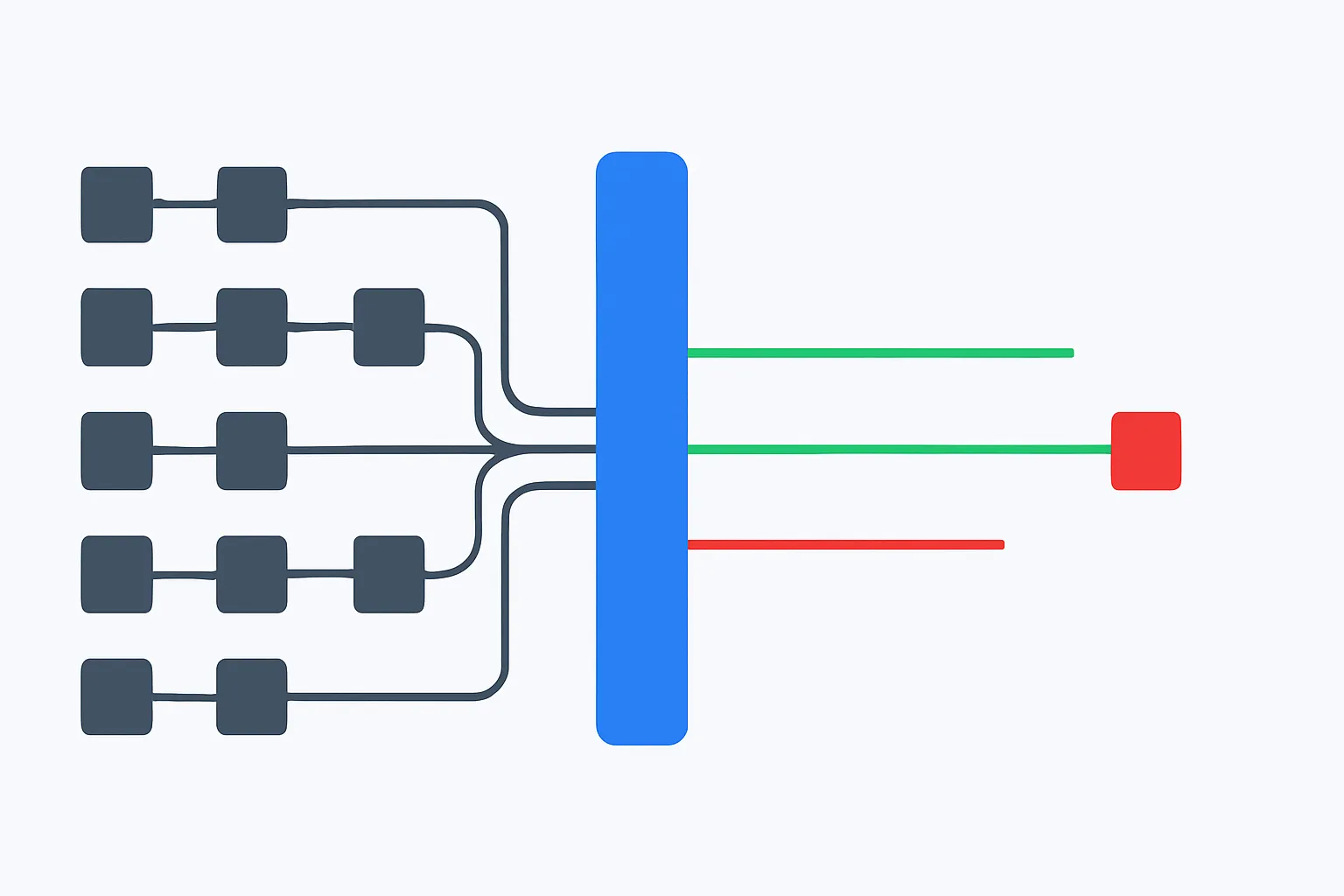
You add negative keywords to a Performance Max campaign one campaign at a time, in that campaign's settings. A PMax campaign accepts up to 10,000 campaign-level negative keywords, in broad, phrase or exact match. It does not accept shared negative keyword lists — there is no library you maintain once and point five campaigns at.
That single missing feature is the whole problem. The negatives themselves work fine on the search side of PMax. What breaks is upkeep: every exclusion has to be written into every campaign, nothing tells you which campaign is missing which term, and Google reports no performance data on negative keywords, so when you approach 10,000 you have to prune by reading rather than by numbers.
Where negative keywords live in a Performance Max campaign
They live at campaign level, inside each PMax campaign's settings, and nowhere else. A Performance Max campaign accepts up to 10,000 campaign-level negative keywords. It does not accept shared negative keyword lists.
The mechanics are the same as Search once you find the screen. Same three match types — broad, phrase, exact. Same syntax, same brackets and quotation marks. Adding [plumber salary] to a PMax campaign does what you'd expect: the campaign stops showing for that exact query on its search inventory.
Two things are different, and they are the whole article.
First, there is no shared library. Standard Shopping accepts negative keywords and shared lists, exactly like Search. PMax accepts the negatives and refuses the lists. If you run six PMax campaigns — one per country, per margin band, per product line, however you split them — a single exclusion is six manual actions.
Second, negatives apply forward only. Adding [free office chair] tonight does nothing about the money that query already spent. There is no retroactive credit. The value of a negative keyword is entirely in the future, which is why the date you add it matters more than the care with which you chose it.
It is also worth remembering that PMax negatives only touch the part of the campaign that answers a search. Everything a PMax campaign does on YouTube, Display, Discover and Gmail is unaffected by any keyword you exclude. More on that below, because it is the single most common misunderstanding about this feature.
The missing shared list costs more than it looks
The absence of shared lists is not a missing convenience. It changes where the truth about your exclusions lives.
With Search campaigns, your brand-misspelling list, your "jobs / salary / apprenticeship" list and your competitor list sit in the shared library. One place. You add a term once, and every campaign attached to that list inherits it the same second. Ask "do we exclude salary everywhere?" and you open one screen.
With PMax, that same question means opening every campaign in turn. And the answer is usually no. What we see in accounts we audit is drift: somebody added salary, jobs and internship to the two campaigns that were obviously bleeding, then never went back to the other four. Six months later the exclusion sets have diverged so far that nobody knows what the account actually blocks.
There are three ways round it, and all three have a cost.
Google Ads Editor. You can paste a block of negatives into a campaign quickly, then paste the same block into the next campaign. It's fast. It's still copying, not linking. Nothing keeps the six copies in sync afterwards, and Editor won't warn you that campaign 4 is missing the twelve terms you added last Tuesday.
A spreadsheet as the master list. Keep the canonical exclusion list outside Google Ads and treat each campaign as a deployment target. This works, and it is what most disciplined agencies do. The cost is that the spreadsheet is only as current as the last person who remembered to update it, and reconciling a 400-row sheet against six live campaigns by hand is nobody's Friday afternoon.
Scripts or the API. Write once, push everywhere, on a schedule. This is the correct answer technically. The cost is that somebody has to own the script when a campaign gets renamed or a new one is launched without being added to the list.
Whichever you choose, the mental model that helps is this: with PMax, your negative keyword list is not a thing that exists in Google Ads. It exists somewhere else, and Google Ads holds copies of it. Manage the original, and treat the copies as output.
What the 10,000 cap actually means in practice
10,000 negative keywords per campaign is generous for a lead-gen account and genuinely tight for a Shopping-led PMax with a large catalogue.
Run the arithmetic on a services account. A plumbing company blocking plumber salary, plumber apprenticeship, plumber jobs near me, how to unblock a sink yourself, plumbing courses, [competitor] reviews and so on will add a few dozen exclusions in the first month and a handful a week after that. At that pace the cap is a theoretical limit you will never see.
Now take an e-commerce account with 40,000 SKUs selling through PMax. Product titles match against an enormous surface of queries. Every model number, every misspelling, every "how do I fix" and "is X compatible with Y" produces a distinct search term. In accounts we audit, a Shopping-heavy PMax spending a five-figure monthly budget commonly turns up several hundred to a couple of thousand new distinct search terms every month, most of them tiny, most of them never converting. If you add one exact negative for each one you don't like, you will meet 10,000 sooner than you think — and then the campaign simply stops accepting new exclusions.
There are two defences.
Consolidate with phrase negatives. Forty exact negatives — free office chair, office chair free, free desk chair uk, where to get a free chair — collapse into one phrase negative: "free". One slot instead of forty. But be honest about the trade. "free" also blocks office chair free delivery and free shipping ergonomic chair, which are buyer queries. Consolidation buys slots by giving up precision. Before you add any single-word phrase negative — free, cheap, used, repair, jobs, diy, wholesale — run it against your converting search terms of the last 12 months. If it catches even one converter, use the longer exact negatives instead and pay the slots.
Prune the dead ones. Here is the hard part nobody mentions: Google reports no performance data on negative keywords. There is no impressions column, no "this negative blocked 412 queries last quarter". So you cannot sort 8,000 exclusions by usefulness and delete the bottom half. You have to prune by reading — by judgement about which terms are still plausible queries in your market and which are relics of a product you stopped selling in 2021. It's slow, and it's the reason we prefer keeping campaigns well under the cap rather than managing it at the ceiling.
One tempting escape hatch is worth naming so you can reject it: the cap is per campaign, so splitting one PMax into three multiplies your exclusion capacity by three. It also multiplies your maintenance by three, in a system with no shared lists. That's a bad trade unless you were splitting the campaign for a real reason anyway.
Which match type survives Performance Max
Use exact for near-misses, phrase for junk families, and avoid broad negatives.
Broad negatives behave unpredictably across match types. That's the polite version. The practical version: you add a broad negative expecting it to catch a family of queries, and it either catches far less than you thought or blocks something you needed, and the report that would let you diagnose which of the two happened does not exist. In a campaign type where you already have less visibility than usual, adding an exclusion whose behaviour you can't verify is a bad idea. We don't use them.
Exact negatives are for terms that sit next to your money. If ergonomic office chair converts and ergonomic office chair assembly instructions never has, block the second one exactly and leave the first alone. Exact never surprises you. The cost is volume: one query, one slot.
Phrase negatives are the workhorse. They're for words that reliably signal a person who is not going to buy, whatever else they typed. For a B2B SaaS: "salary", "jobs", "login", "crack", "free download", "reddit". For a retailer: "repair", "instruction manual", "second hand", "gumtree". One phrase negative can retire a whole family of terms and keep your slot count sane.
A short test before you commit any phrase negative: write down three queries containing that word that you would want to pay for. If you can write three, don't add it. "repair" fails this test instantly for anyone who sells a repair service. It passes cleanly for a company that only sells new units and has no service line.
One more thing specific to PMax: because you're deploying the same list into several campaigns by hand, every phrase negative you can substitute for twelve exact ones also cuts your deployment work by twelve. The pressure toward consolidation is stronger here than on Search. Resist it just enough to not block your own buyers.
The three things negative keywords will never fix in PMax
This is where most advice on this topic stops short, and where accounts quietly lose money after someone has done everything the guides say.
Non-search inventory. A PMax campaign serves across search inventory, Shopping, and also YouTube, Display, Discover and Gmail. Only the search-based part involves a query. There is no search term behind a YouTube impression, so there is no keyword to negate. Display, Video and App campaigns report no search terms at all, for the same reason: there aren't any. If your PMax is spending on placements you dislike, negative keywords are the wrong tool and always will be.
Your product feed. On the Shopping side of PMax, what your products match against comes largely from your product titles and attributes. A title reading "Office Chair Replacement Gas Lift Cylinder — Universal Fit" will keep dragging in repair queries no matter how many negatives you add, because you are the one telling Google that this product is about repair parts. Negatives suppress symptoms here. Fixing titles and listing groups treats the cause. Do both, in that order of importance.
Terms Google never reports. Search terms for Search, Shopping and Performance Max are reported in campaign_search_term_view. That report is good, and it is what any serious tool reads. But Google withholds queries that too few people typed, for privacy reasons — the same rule that applies on Search. So a portion of your spend sits behind queries you will never see and therefore can never exclude. Anybody who tells you a negative keyword strategy can reach 100% of wasted spend is selling something. The honest claim is that it reaches the reported terms, which is where most of the identifiable waste sits.
And one more, which is less a limitation than a misunderstanding about what you're buying. Blocking a term does not lower your spend. PMax will spend the budget you gave it. What changes is the composition of that spend: the money that went to office chair repair near me goes somewhere else inside the campaign. That's still worth doing — the somewhere else is on average closer to a buyer — but if your goal is to spend less, the lever is the budget, not the negatives.
A weekly routine you can run by hand
If you'd rather not add a tool, here's the routine that works. It takes 20 to 40 minutes a week per account, and the honest warning is at the end.
- Pull the search terms report across your PMax campaigns for a window long enough to cover your sales cycle. A week is fine for e-commerce. For a business with a 60-day cycle, look at the last 90 days so you don't judge a term before it's had time to convert.
- Filter to cost above zero and conversions equal to zero. Sort by cost, descending.
- Read the top 50. Not the top 5 — the top 50. The expensive ones are usually already excluded; the interesting waste starts around row 15.
- For each term you're blocking, decide exact or phrase using the test above.
- Never block a term that converted in the last 90 days. Not once, not "only one sale". A term with one conversion and a bad cost per acquisition is a bidding question, not an exclusion question, and PMax doesn't give you the bidding lever anyway.
- Paste the new negatives into every PMax campaign, one at a time, and update your master sheet in the same sitting. If you update the sheet later you won't.
The warning: this routine catches the top of the list and misses the tail. The terms you never get to are the ones that spent $3 each. There are hundreds of them, and added up they are usually the larger number. Reading 50 rows a week is far better than reading none, and it is not the same as reading all of them.
What PPCleaner does with PMax specifically
PPCleaner reads campaign_search_term_view every night across Search, Shopping and Performance Max, judges which terms were never going to convert, and writes the exclusions in as campaign-level negative keywords — into each PMax campaign, because that's the only place they can go.
The part that matters for PMax is the deployment. There are no shared lists, so the master list lives in PPCleaner and the campaigns hold synchronised copies. A new PMax campaign launched on Tuesday inherits the account's existing exclusions instead of starting from an empty list and re-learning the same lessons with your money. When one campaign approaches the 10,000 ceiling, we consolidate exact negatives into phrase negatives where the phrase is safe, and tell you when it isn't.
The rules are deliberately conservative. We never block a term that converted in the last 90 days. We don't use broad negatives, because they behave unpredictably across match types and PMax gives you too little visibility to catch it when they misfire. Every block is reversible in one click for 90 days, so a wrong call costs you a few days of traffic on one query rather than an argument with your client. And nothing else in the account is touched: not budgets, not bids, not ads, not keywords.
What it will not do, stated plainly. It cannot exclude anything on the YouTube, Display, Discover or Gmail side of a PMax campaign, because there are no search terms there — Display, Video and App campaigns report none. It cannot act on queries Google withholds for low volume. It cannot fix a product feed that tells Google your chairs are about repairs. It cannot recover money already spent. And it cannot raise the 10,000 cap; when a campaign gets close, something has to be consolidated or removed, and that is a decision we surface rather than make silently.
What's left after those exclusions is the part of this job that's pure repetition: reading every reported search term, every night, in every campaign, and applying the same judgement you'd apply yourself on the twenty rows you actually get to.
Frequently asked
Do negative keywords actually work in Performance Max?
Yes, on the search side. A campaign-level negative keyword stops your PMax campaign showing for that query on search and Shopping inventory, exactly as it would on a Search campaign. It has no effect on the YouTube, Display, Discover or Gmail part of the campaign, because there is no search term behind those impressions to block.
Can I apply a shared negative keyword list to a Performance Max campaign?
No. Performance Max does not accept shared negative keyword lists. Negatives have to be added at campaign level, one campaign at a time, up to 10,000 per campaign. Standard Shopping does accept shared lists — PMax is the exception, which is why keeping several PMax campaigns in sync is a manual job unless you automate it.
How many negative keywords can a Performance Max campaign hold?
10,000, at campaign level. That's plenty for a lead-gen account and can be tight for a Shopping-led PMax with a large catalogue, where hundreds of new distinct search terms can appear every month. Phrase negatives are the main defence: one well-chosen phrase can replace dozens of exact negatives and free up slots.
Should I use broad match negatives in PMax?
We advise against it. Broad negatives behave unpredictably across match types, and PMax gives you less visibility than Search, so if a broad negative blocks something it shouldn't you are unlikely to notice. Use exact for terms that sit close to converting queries, and phrase for words that reliably signal a non-buyer.
Will adding negative keywords reduce my Performance Max spend?
No. The campaign will spend the budget you set. What changes is where that budget goes: money that went to a query like "office chair repair near me" gets redirected inside the campaign. If your aim is to spend less, lower the budget. If your aim is to spend the same money on better traffic, negatives are the right tool.
Can I see every search term a PMax campaign paid for?
Almost. Search terms for Search, Shopping and Performance Max are reported in campaign_search_term_view, which is what any serious tool reads. Google still withholds queries that too few people typed, for privacy, so a slice of spend sits behind terms you cannot see and therefore cannot exclude. Anyone claiming full coverage is overstating it.

Clean your search terms. Save time and money.
Every night, PPCleaner reviews the searches your campaigns actually paid for, groups them by intent, and excludes the ones that never convert. No spend threshold to wait for, nothing touched but negatives — and one click undoes any of it.
Start 7 days freeSearch, Shopping and Performance Max · Cancel in one click
Related articles

Performance Max New Customer Goal Won't Block Bad Queries
The new customer acquisition goal changes who Performance Max bids on. It doesn't change what they searched, so "how to clean leather boots" still gets paid for, and it can end up getting more budget.

Performance Max Branded Search Spend and How to Measure It
Performance Max often looks efficient because it takes credit for people who were already searching your brand name. Here is how to measure how much of that credit is real, using search term labels and a four-week before/after test.

Performance Max Negative Keywords Not Working? Here's Why
You added a negative keyword to Performance Max and the term still shows up in your reports. Usually the block worked and the report is misleading you. Sometimes the negative never covered that query in the first place. Here's how to tell which one you're dealing with.