
Google Ads Keyword Not Showing Impressions? Check Negatives

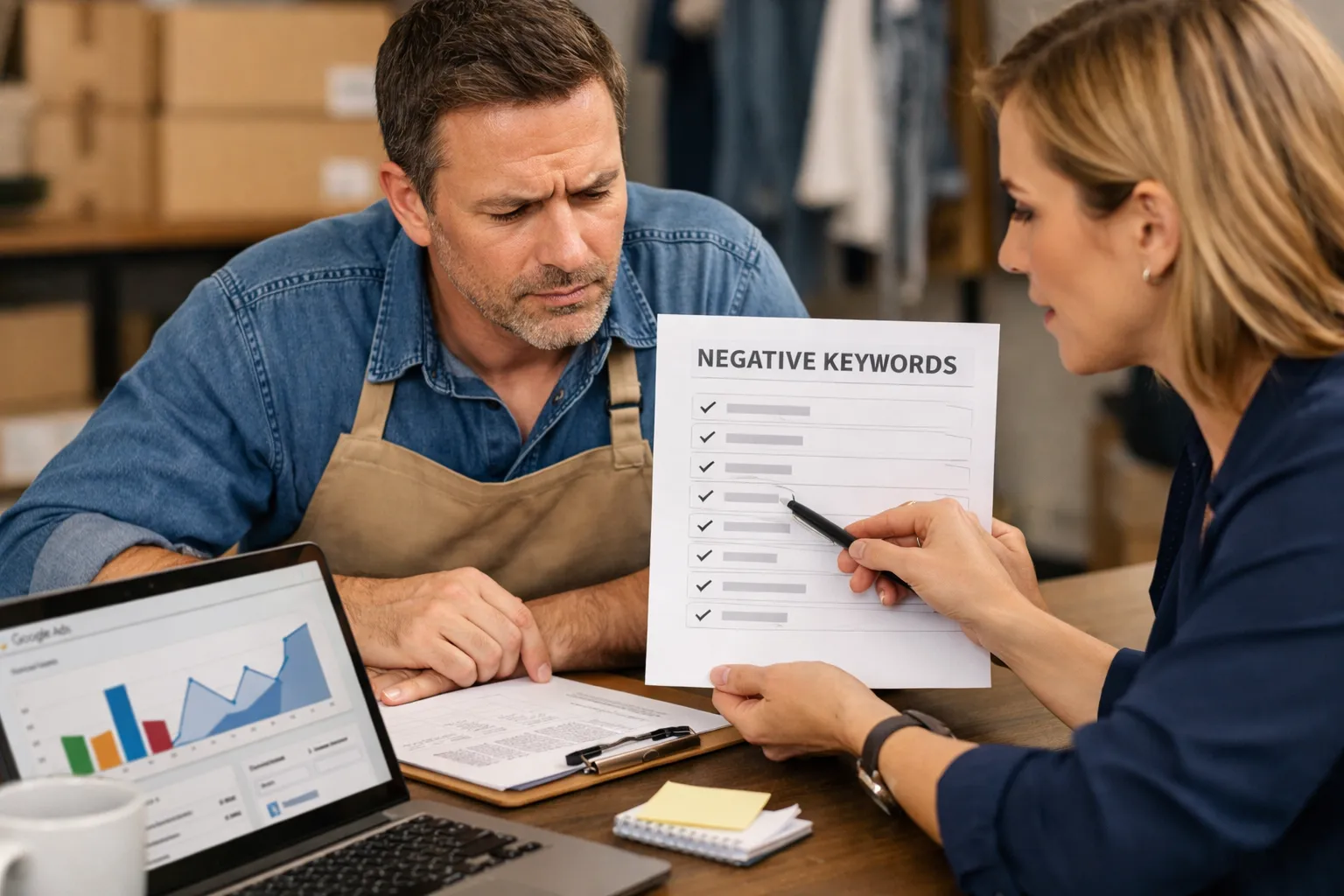
If a keyword shows "Eligible", has a sensible bid and a decent Quality Score, and still gets no impressions, look at your negative keywords before you touch the bid. A negative doesn't have to match the keyword to hurt it. It only has to match the searches the keyword would have entered, and Google often won't tell you when that happens.
To check, write down five to ten real searches you expect the keyword to match. Then test each one against every negative that applies to that ad group: ad group, campaign, shared lists and the account-level list. If one of those searches gets blocked, you've found the cause. Make the negative narrower rather than deleting it, or you'll let back in the junk it was added to stop.
The short answer: your negatives can starve a keyword without any warning
A keyword that is eligible, well bid and well rated can still get zero impressions because a negative keyword blocks the searches it would have matched. The negative doesn't need to repeat the keyword. It only needs to match the search terms the keyword would have entered, and when that happens the keyword usually still shows as "Eligible".
The reason is simple. Google doesn't run auctions on keywords. It runs them on searches. Your keyword is a ticket that lets a search into the auction. Your negatives are a list of searches you've banned. Google checks the ban list first, and if a search is on it, your keyword never gets a chance. So the keyword just sits there with nothing to show.
Here's a typical case. A plumbing company adds the phrase match keyword "boiler repair". Months earlier, someone added the phrase negative "repair" to a shared list after a run of clicks from "phone repair near me" and "laptop repair shop". That negative did its job. It also blocks "boiler repair", "boiler repair cost" and "emergency boiler repair", which is every search the new keyword was built to catch. The bid is fine. Quality Score may even show a reasonable value based on the ad and landing page. The keyword still gets nothing.
Why the usual checklists miss this
The pages that rank for this problem cover the same ground: bid too low, budget too small, Quality Score too low, ads not approved, location or schedule too narrow, "low search volume" status. All of that is true. But negatives get one line at most, usually "check for negative keyword conflicts". That's the part that needs more care.
That advice is incomplete for three reasons.
It assumes the conflict is obvious. Most people read "conflict" as a negative that matches the keyword word for word, like negative boiler repair against keyword boiler repair. Those are easy to spot. The ones that hurt are partial. A one-word negative in a shared list. A broad negative made of two words that happen to show up in your keyword's best searches. A negative added to fix one campaign that sits on a list applied to six.
It assumes Google will flag it. Google does warn you about some conflicts, but not all of them, and it can't warn you about searches your keyword would have matched through broader matching. We've covered the gaps in negative keyword conflicts Google Ads won't flag. The short version: a missing warning doesn't mean no conflict.
It treats negatives as background. People tend to assume the problem is a setting they control right now, like the bid or the budget. Negatives pile up over years, from different people, in different places. The person fixing the keyword today often didn't add the negative that's blocking it and doesn't know it exists.
So the order of checks matters. Raising a bid on a blocked keyword does nothing except make the eventual fix more expensive. If a negative is the cause, you can bid $5 or $50 on that keyword and still get zero impressions.
Where the blocking negative is likely hiding
A negative can affect a keyword from four levels in Search and Standard Shopping, and from the campaign level in Performance Max. You need to check every level, because the negative that's blocking you is rarely the one you'd look at first.
Ad group negatives
These only affect the ad group they're in, so they're the easiest to rule out. Open the ad group, go to negative keywords and read the list. If the account is set up carefully, this list is short. If it was built by someone sending traffic between ad groups on purpose, it can be long and full of single words.
Campaign negatives
These apply to every ad group in the campaign. A campaign-level negative added to stop one bad theme in one ad group will also block that theme in every other ad group. This is the classic way a new ad group gets choked: you build it inside an older campaign that already excludes its core term.
Shared negative keyword lists
This is where most quiet blocking happens in the accounts we audit. A shared list is built once and applied to many campaigns. The list called "Generic junk" or "Agency master negatives" often has dozens of single-word phrase or broad negatives. Each one made sense when it was added. Together they cover more ground than anyone remembers.
Look at which lists are applied to the campaign, then read each list. Don't skim the list names. "Jobs and careers" might also hold training, which blocks "plumbing training course" (fine) and "staff training software" (a disaster if you sell staff training software).
The account-level negative list
Account-level negatives apply across campaign types and are easy to forget because they live outside the campaign view. The trade-offs between this and campaign-level lists are in account-level negative keyword lists vs campaign-level. For diagnosis, the rule is simple: if you haven't checked the account-level list, you haven't checked your negatives.
Performance Max
Performance Max doesn't accept shared negative keyword lists. It takes campaign-level negatives, up to 10,000 per campaign. If you're trying to understand why PMax isn't picking up a theme you expected, read that campaign's own negative list. Don't assume your shared lists apply there, in either direction. If PMax negatives seem to behave strangely, why Performance Max negative keywords aren't working covers the common causes.
If you manage several accounts
Agencies often copy a master list into every new client account. That's efficient until a word that's junk for one client is the core product for another. A "cheap" negative makes sense for a luxury jeweller and kills a discount furniture outlet. If you work across clients, managing negative keywords across client accounts explains how to share lists without sharing this kind of mistake.
The diagnostic: test real searches, not the keyword
To find out whether negatives are the cause, test the searches you expect the keyword to match against every negative that applies, not the keyword itself. This takes about fifteen minutes for one keyword and gives you a clear yes or no.
Step 1: Write down the searches you expect
List five to ten realistic searches the keyword should catch. Use the language your customers use, not your internal product names. For phrase match "boiler repair":
- boiler repair
- boiler repair near me
- emergency boiler repair
- boiler repair cost
- combi boiler repair same day
- who fixes boilers
The last one is there on purpose. With broad match, or with close variants on phrase and exact, your keyword may be expected to catch searches that don't contain the keyword's words at all. If you use broad match, include a couple of these. For more on how far "exact" really stretches, see close variants and why exact isn't exact.
Step 2: Collect every negative that applies
Export or copy the negatives from the ad group, the campaign, every shared list applied to the campaign and the account-level list. Put them in one sheet with two columns: the negative text and its match type.
Step 3: Test each search against each negative
Apply the negative match rules:
- Exact negative
[boiler repair]blocks the search "boiler repair" and nothing longer. It won't block "boiler repair cost". - Phrase negative
"boiler repair"blocks any search containing those words in that order: "boiler repair cost", "emergency boiler repair". It won't block "repair my boiler". - Broad negative
boiler repairis meant to block searches that contain all of its words, in any order. In practice broad negatives behave less predictably across match types than people expect, so treat any broad negative that shares a word with your searches as a suspect, not as cleared.
Single-word negatives are where most hits turn up. In phrase or broad, a one-word negative like repair, cost, near, free, cheap, diy or used blocks every search containing that word. Scan your list of searches for any word that also appears on its own as a negative.
Step 4: Read the result
If most of your expected searches hit a negative, that's your answer. The keyword isn't low volume. It's fenced off. If only one or two are blocked, the negative is shrinking the keyword's reach but isn't the full story. Keep the finding and move on to the other checks.
If none are blocked, negatives aren't the cause. Go back to bids, budget, targeting and search volume with a clear conscience.
A quicker shortcut, with limits
You can also look at the keyword in the keyword list. If Google is showing a conflict warning, it'll often name the negative. Use it when it's there. But don't count a clean status as a pass. The step-by-step test above is the only way to be sure.
Partial suppression: when a keyword gets some impressions, just not enough
A keyword with a trickle of impressions can still be suppressed by negatives. When this happens the negative usually blocks its highest-volume variants and leaves only the long, rare ones. This is harder to spot than zero impressions, because the keyword looks alive.
Look at the search terms the keyword does match. If they're all long and oddly specific ("combi boiler repair saturday morning north side") and the short, obvious ones ("boiler repair", "boiler repair near me") never appear, that gap is a clue. Something is taking out the core searches. Very often it's a phrase negative on a common word.
Change history helps here. Filter it to negative keyword changes and look for a date when impressions on the keyword dropped. If a shared list got ten new negatives on the same day your keyword fell from 300 impressions a week to 40, start with those ten.
This is also where low-volume data fools people. Many short-tail searches only show a handful of impressions each, and together they make up a large part of a keyword's reach. We've written about why low volume terms in the search terms report add up. The same logic works in reverse: a negative that blocks a dozen small searches can take out a big share of a keyword's volume without any single blocked search looking important.
How to fix it without letting the junk back in
Narrow the blocking negative instead of deleting it. That negative was almost always added to stop real waste, and removing it brings that waste back. The goal is to keep blocking the bad searches while letting your keyword's searches through.
Replace a one-word negative with specific phrases
Back to the plumber. The negative "repair" was added to stop "phone repair" and "laptop repair". Replace it with phrase negatives that name the bad themes:
"phone repair""laptop repair""screen repair""watch repair"
"Boiler repair" now gets through. The junk stays out. You'll have to add more specific negatives over time as new junk turns up, and that's the cost of this fix. It's still cheaper than either blocking your core service or letting all "repair" searches in.
Move the negative closer to where it belongs
If a negative is only right for one campaign, take it off the shared list and add it to that campaign. A shared list should hold words that are junk for every campaign it's applied to. "Jobs", "salary" and "careers" usually qualify. "Repair", "cheap" and "used" often don't.
Change the match type
Switching a phrase negative to exact keeps it from blocking longer searches. Negative [free] blocks only the search "free". That's narrow, maybe too narrow. A middle path is a phrase negative with a second word: "free download", "for free". There's a fuller treatment of this exact word in blocking "free" and "cheap" searches without losing buyers.
Undo, then watch
If you can't tell which version of a negative is right, remove it, watch the search terms report for a week or two and see what comes in. If the keyword picks up impressions and the new search terms are good, you've found the cause. If junk floods back, you know exactly which narrow negatives to add. How to undo negative keywords in Google Ads walks through doing this cleanly.
A rough cost check before you remove anything: if the negative was stopping, say, $200 a month of junk clicks, and the keyword it's blocking could bring in conversions worth well above that, the trade is easy. If the keyword is speculative and the junk was real, narrow first and only remove as a last resort.
When it isn't your negatives
Negatives are one cause among several, and the test above will tell you when to look elsewhere. If none of your expected searches hit a negative, the usual suspects are real and worth checking in this order.
- "Low search volume" status. Google marks keywords with very little search activity this way and won't serve them until volume picks up. This is a property of the keyword, not your account. Broaden the wording or rely on a broader keyword in the same ad group.
- Another keyword or campaign wins the search. If two of your keywords can match the same search, only one enters the auction. Your "missing" keyword may simply be losing to a sibling, or to Performance Max. Performance Max cannibalizing Search? Compare the terms shows how to check.
- Targeting that's too tight. A small location radius, a narrow ad schedule or an audience set to targeting rather than observation can shrink reach to nothing.
- Bid, budget and ad rank. If your bid is far below what the auction needs, you won't show. This is real, but test negatives first, because it's the only fix on this list that costs more money.
- Ads or policy. Disapproved or limited ads stop serving. The status column usually says so.
Where an automated tool fits in, honestly
Automated negative keyword tools add negatives, so they're one more possible cause of a starved keyword. That includes PPCleaner. Pretending otherwise would be odd in an article about negatives blocking keywords.
Here's how PPCleaner limits the risk. It only blocks search terms Google actually reported as paid for in Search, Shopping and Performance Max, and it judges each one on whether it was ever going to convert. It never blocks a term that converted in the last 90 days. It never touches bids, budgets, ads or keywords. Every block is logged, and any of them can be undone in one click for 90 days.
The hard part is this. If you launch a new keyword whose searches PPCleaner blocked months ago, because back then those searches came in through a different keyword and never converted, the new keyword can start out fenced off. The fix is the same as for any other negative: check the block log for the searches on your test list, and undo or narrow the ones that are in the way. The diagnosis in this article works the same whether a person or a tool added the negative.
PPCleaner also can't see searches Google doesn't report. Display, Video and App campaigns report no search terms at all, and some search terms in the other campaign types are hidden for privacy. If you want to know what's missing and why, see search terms hidden by privacy.
Finally, when you do add negatives yourself after fixing a blocked keyword, add them from real search terms rather than from guesses. A guessed one-word negative is exactly how this problem starts. Adding negative keywords from search terms without guessing covers the method.
Frequently asked
Will Google Ads tell me if a negative keyword is blocking my keyword?
Sometimes. Google flags some conflicts in the keyword list, usually when a negative clearly matches the keyword. It won't reliably flag a negative that blocks the searches your keyword would have matched, especially one-word negatives in shared lists or the account-level list. A clean status isn't proof of no conflict. Test real searches against your negatives to be sure.
Can a keyword show "Eligible" and still be blocked by negatives?
Yes. The status describes the keyword, not the searches it can reach. If every search the keyword would have matched is on your negative list, the keyword stays eligible and gets no impressions, because Google blocks those searches before your keyword enters the auction.
Should I just delete the negative that's blocking my keyword?
Usually not. The negative was probably added to stop real waste, and deleting it brings that waste back. Narrow it instead. Replace a one-word negative like "repair" with specific phrases like "phone repair" and "laptop repair", move it from a shared list to the one campaign that needs it, or change its match type to exact.
Do shared negative keyword lists apply to Performance Max?
No. Performance Max doesn't accept shared negative keyword lists. It accepts campaign-level negatives, up to 10,000 per campaign. If you're checking why PMax isn't picking up a theme, read that campaign's own negative list rather than your shared lists.
How do I know whether low impressions are caused by negatives or by low search volume?
Run the search test first. Write down five to ten realistic searches the keyword should match and check each against every negative that applies. If most are blocked, negatives are the cause. If none are blocked and Google shows a "low search volume" status, the keyword itself has too little demand, and changing your negatives won't help.
Can PPCleaner block searches a new keyword needs?
It can, the same way any negative can. PPCleaner never blocks a term that converted in the last 90 days, but if a search wasted money through an older keyword, it may already be blocked when you launch a new keyword that targets it. Check the block log for the searches on your test list and undo any that are in the way. Each block can be undone in one click for 90 days.

Clean your search terms. Save time and money.
Every night, PPCleaner reviews the searches your campaigns actually paid for, groups them by intent, and excludes the ones that never convert. No spend threshold to wait for, nothing touched but negatives — and one click undoes any of it.
Start 7 days freeSearch, Shopping and Performance Max · Cancel in one click
Related articles

Average Google Ads Wasted Spend per Month, Reconsidered
The famous "you waste a quarter of your budget" number mostly comes from how waste gets defined, not from your account. Here's how to measure your own waste rate and decide what's normal for an account like yours.

Google Ads AI Max Search Terms and the Controls That Work
AI Max lets Google match your Search ads to queries you never targeted, using your landing pages and ads as the signal. Here is how to find what it bought and which controls actually narrow it.

Dynamic Search Ads Negative Keywords That Actually Hold
Dynamic Search Ads match searches to whatever is on your site, including blog posts, careers pages and support docs. Here is how page feeds, URL exclusions and negative keywords work together to keep the campaign on queries that can actually convert.